
Picture this: you’re mid-game, deep in focus, and your wired mouse snags on the desk clutter. Or you’re bouncing between a laptop and a desktop at work, constantly re-plugging a USB cable. A quality wireless mouse eliminates both frustrations instantly. Whether you’re a competitive gamer, a remote worker, or someone who just wants a cleaner desk, the right cordless mouse makes a genuine difference.
This guide covers eight of the best wireless mice available right now, ranging from budget-friendly everyday options to high-performance gaming models. We evaluated each one based on sensor precision, battery life, ergonomics, and overall value. If you’re browsing the broader computer accessories category, you’ll find plenty of complementary gear to round out your setup.

Pros
- Best-in-class wireless latency at 1ms rivals top wired gaming mice
- Industry-leading 250-hour battery life eliminates charging anxiety entirely
- Lightweight 99g body reduces fatigue during extended gaming sessions
- Highly rated HERO sensor provides accurate, smooth tracking without jitter
- Affordable price point delivers premium gaming performance without breaking the budget
Cons
- No RGB lighting, which may disappoint gamers who want a visually customizable setup
- Compact size and symmetrical shape may feel cramped for users with very large hands during extended use
- Only one AA battery is included and the receiver range is limited to approximately 1 meter
The Logitech G305 LIGHTSPEED is a wireless gaming mouse designed for PC and laptop gamers who want competition-ready performance without the premium price tag. Sitting at the top of the best-seller charts in PC gaming mice, it appeals to casual players, college students, and budget-focused enthusiasts alike who need reliable wireless performance in a compact, travel-friendly package.
At the heart of the G305 is Logitech's HERO optical sensor, capable of up to 12,000 DPI with 400 IPS tracking precision and absolutely no acceleration or smoothing applied. Paired with LIGHTSPEED wireless technology, the mouse delivers a 1ms report rate that is functionally indistinguishable from a wired connection, giving competitive gamers the confidence they need in fast-paced titles.
The G305 is impressively light at just 99 grams, and its symmetrical ambidextrous shell makes it accessible to a broad range of users. Build quality is solid plastic with a matte finish that resists minor smudging, and the scroll wheel feels tactile and precise. The nano USB receiver tucks neatly into the underside of the mouse for travel, a thoughtful detail that sets it apart from many competitors at this price.
On the downside, the G305 lacks RGB lighting and has a relatively modest six-button layout compared to feature-heavy mice at higher price points. The compact body, while great for portability, may feel slightly small for users with larger hands during marathon sessions. The 1-meter wireless range listed in specs is conservative, though real-world performance is generally reliable within a typical desktop setup.
Overall, the Logitech G305 LIGHTSPEED is one of the best value propositions in wireless gaming peripherals available today. Its combination of a high-performance sensor, genuinely lag-free wireless, and exceptional battery life in such a lightweight and affordable package is difficult to beat. For anyone stepping up from a basic office mouse or looking for a reliable travel gaming mouse, the G305 is a straightforward recommendation.
Sensor: Logitech G HERO optical sensor with up to 12,000 DPI sensitivity and 400 IPS tracking speed. Zero hardware acceleration or smoothing ensures raw, accurate input at all sensitivity levels.
Wireless: LIGHTSPEED 2.4GHz wireless via included USB nano receiver. Report rate of 1ms provides wired-equivalent responsiveness. Nano receiver stores inside the mouse body when not in use.
Battery: Powered by one included AA battery with up to 250 hours of continuous use in standard mode. Endurance mode via Logitech G HUB software can extend battery life up to 9 months.
Design: Ambidextrous symmetrical form factor. Dimensions: 4.59 inches long by 2.45 inches wide. Weight: 3.36 oz (99g). Available in Black and other color variants. Compatible with Windows 10 and above, and Mac.
Buttons and Software: Six programmable buttons configurable through Logitech G HUB software. Supports custom DPI profiles, macros, and per-application settings stored in on-board memory for use without software installed.
Who should buy the G305? This mouse is ideal for gamers who want wireless freedom without sacrificing performance. It suits FPS, MOBA, and RTS players who need accurate tracking and low latency. It is also a top pick for students and remote workers who game on a laptop and need a portable, clutter-free setup.
What grip styles does it support? The G305's symmetrical shape works best with palm and claw grip styles. Fingertip grip users may also find it comfortable given its lightweight build. It is ambidextrous, so left-handed gamers can use it without any compromise.
Do I need the Logitech G HUB software? The mouse works plug-and-play out of the box without any software. However, installing G HUB unlocks full button remapping, DPI customization, macro creation, and the Endurance battery mode. It is recommended for anyone who wants to get the most out of the mouse.
How does it compare to wired mice? Thanks to LIGHTSPEED wireless, the G305 performs on par with wired gaming mice in terms of input latency. If you have previously avoided wireless mice due to lag concerns, the G305 is a strong argument for making the switch at this price point.
Is it worth it at this price? Absolutely. The G305 consistently ranks as one of the highest-value wireless gaming mice on the market. Competitors with similar sensor performance and wireless technology often cost significantly more, making the G305 an exceptional choice for performance-focused buyers on a budget.
Pros
- Industry-leading 2-year battery life virtually eliminates the need for frequent battery changes
- Comfortable ergonomic design with rubber grips supports extended use without hand strain
- Unifying receiver allows up to six Logitech devices on a single USB port, reducing dongle clutter
- Wide OS compatibility including Windows, macOS, Linux, and Chrome OS
- Ranked among the top wireless mice on Amazon, reflecting strong user satisfaction
Cons
- Designed primarily for right-handed users despite being labeled ambidextrous, so left-handed users may find it less comfortable
- Maximum sensitivity of 1000 DPI is modest and may not satisfy power users or gamers who need higher precision
- Side-to-side scrolling and zoom features require Logitech SetPoint or Control Center software, adding a setup step
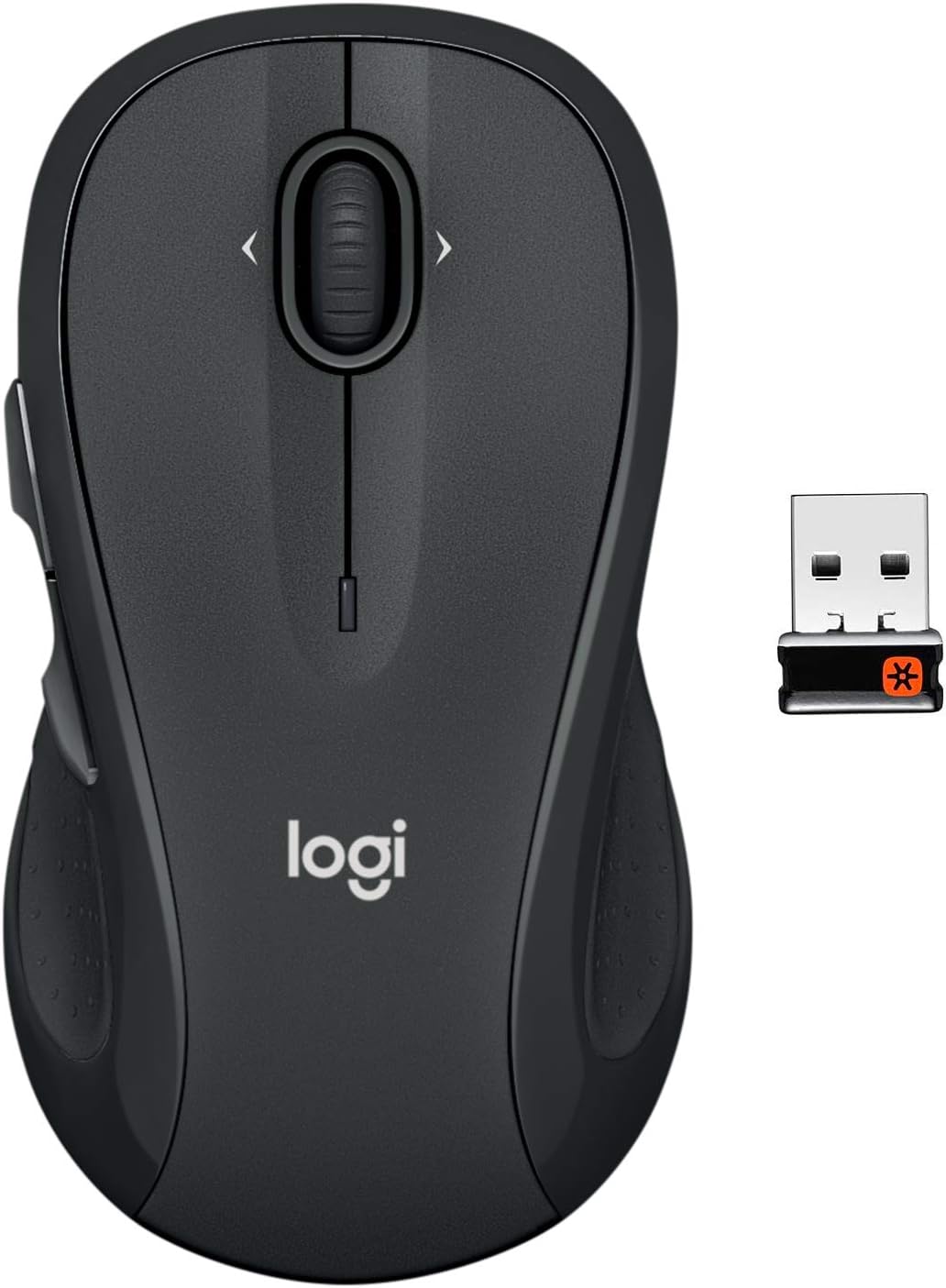
The Logitech M510 is a full-size wireless mouse aimed at everyday home and office users who spend long hours at their desk. It sits in a sweet spot between basic budget mice and premium productivity peripherals, offering a thoughtful blend of comfort, convenience, and reliable performance without a steep price tag.
The standout feature is its remarkable 2-year battery life, powered by two included AA batteries. Combined with an on/off switch, a smart sleep mode, and a battery indicator light, the M510 practically eliminates the interruption of dead batteries. The 2.4 GHz Unifying receiver is tiny enough to leave plugged into your laptop or desktop permanently, and it can pair with up to five additional Logitech devices, which is a genuine convenience for multi-device setups.
In terms of design, the M510 features a contoured shape with gently curved sides, a broad palm area, and soft rubber grips that cradle the hand naturally. It is clearly optimized for right-handed users, and the seven buttons, including dedicated Back/Forward buttons and a tilt-to-scroll wheel, are positioned intuitively for fast document and web navigation. Build quality feels solid and durable for its price range, with a graphite rubber finish that resists slipping.
On the downside, the 1000 DPI maximum sensitivity is relatively low compared to newer mice in the same category, which could frustrate users with high-resolution monitors or those accustomed to faster cursor speeds. Additionally, some of the more advanced features like side-to-side scrolling and zoom require Logitech's optional software, which adds a minor setup hurdle for new users.
Overall, the Logitech M510 is a dependable, comfortable, and well-rounded wireless mouse that earns its place as a bestseller. It is best suited for right-handed office workers, students, and everyday computer users who prioritize comfort and battery longevity over high-end precision. If you want a no-fuss, reliable daily driver, the M510 delivers excellent value.
Connectivity: 2.4 GHz wireless via USB-A Nano Unifying Receiver. Range up to 10 meters. Supports up to six Unifying devices on a single receiver.
Tracking and Buttons: Advanced optical sensor with up to 1000 DPI sensitivity. Seven total buttons including left/right click, scroll wheel with tilt, Back/Forward buttons, and a middle click. Hand orientation optimized for right-handed use.
Power: Powered by 2 AA batteries (included). Rated battery life of up to 2 years with smart sleep mode and on/off switch. Battery indicator light included.
Compatibility: Windows 10, Windows 11 or later, macOS, Linux, Chrome OS. Logitech Options software available for button customization. SetPoint (Windows) or Control Center (Mac) required for tilt-scroll and zoom features.
Physical: Dimensions 4.4 inches L x 2.5 inches W. Weight 4.48 ounces. Color: Graphite. Includes Logitech Unifying Receiver and 2 AA batteries. Model Number: 910-006030. Warranty: 1-Year Limited Hardware Warranty.
If you are shopping for a wireless mouse for general office or home use, the Logitech M510 is one of the safest choices in its price range. Its ergonomic design makes it especially well-suited for users who type and click for several hours a day and want to avoid wrist or hand discomfort over time.
Consider the M510 if you already own other Logitech Unifying-compatible devices such as a wireless keyboard. The ability to connect multiple devices through a single tiny receiver is a practical advantage that reduces USB port usage and keeps your workspace tidy.
However, if you are a left-handed user, you should look at a truly symmetrical mouse instead, as the M510's ergonomic curves favor the right hand. Similarly, if you use a high-resolution 4K monitor or need precise cursor control for graphic design or gaming, a mouse with a higher DPI range would serve you better.
For students, remote workers, and general productivity users who want a comfortable, long-lasting, and easy-to-use wireless mouse, the Logitech M510 represents excellent value and a low-maintenance daily experience.

Pros
- Seamless multi-device switching between up to 3 computers makes it a standout productivity tool
- Exceptional 24-month battery life eliminates the hassle of frequent recharging or battery swaps
- Comfortable full-size ergonomic shape with rubber grip is well-suited for all-day use
- Dual connectivity via Bluetooth and USB receiver gives flexible setup options across platforms
- Logitech Flow cross-computer file and text transfer is a genuinely useful feature for multi-PC users
Cons
- Designed exclusively for right-handed users, so left-handed users will need to look elsewhere
- The thumb-side button can be accidentally triggered during intense use such as gaming, causing unwanted interruptions
- The hyper-fast scroll wheel feels loose to some users and may not match the tactile quality of older Logitech scroll wheels
The Logitech M720 Triathlon is a full-size wireless mouse designed for professionals and power users who regularly work across multiple computers or devices. Whether you are bouncing between a Windows desktop, a MacBook, and an iPad, or simply want a reliable everyday mouse with long battery life, the M720 positions itself as a versatile all-rounder in the productivity mouse category.
The standout feature is undoubtedly the multi-device switching system. Pairing up to three devices and jumping between them with a thumb button is fast and reliable, with illuminated indicators confirming your active connection at a glance. Logitech Flow takes this further by allowing cursor movement and file transfers between two computers without any cloud service, which is a genuinely impressive feature for users managing dual workstations. The hyper-fast scroll wheel is another highlight, letting you tear through lengthy documents in moments, while a mode switch enables precise click-to-click scrolling when needed.
Build quality is solid for the price range. The rubber-coated body feels premium in hand, and the sculpted right-hand ergonomic shape distributes weight comfortably across the palm. Logitech rates the buttons at up to 10 million clicks, suggesting this mouse is built to last through years of heavy daily use. Real-world reviewers confirm this durability, with multiple users reporting five or more years of reliable service.
There are a few things to be aware of before buying. The mouse is right-hand only, which immediately excludes left-handed users. The thumb-rest button, while useful for productivity shortcuts, can be accidentally pressed during high-intensity or grip-heavy use such as gaming, pulling you out of your application unexpectedly. Some users also note that the scroll wheel feels slightly looser than expected for a mouse at this price point.
Overall, the Logitech M720 Triathlon delivers exceptional value for anyone who works across multiple devices and wants a comfortable, durable, and feature-rich wireless mouse. The combination of multi-device switching, Logitech Flow, long battery life, and customizable buttons makes it one of the most capable mice available under $40. Minor ergonomic quirks aside, it earns its place as a top-ranked productivity mouse and comes highly recommended for home office and professional use alike.
Connectivity: Bluetooth and USB-A Logitech Unifying Receiver. Supports pairing with up to 3 devices simultaneously. The Unifying Receiver allows up to 6 compatible Logitech peripherals on a single USB port.
Compatibility: Works with Windows 10 and later, macOS 10.5 or later, Chrome OS, Linux (no software support), iPadOS 13.4 or later, and Android 5.0 or later. Suitable for desktops, laptops, and tablets.
Performance: Optical tracking with a maximum sensitivity of 1000 DPI. Wireless range up to 5 meters. Features a hyper-fast scroll wheel with instant-stop and click-to-click modes. Six customizable buttons configurable via Logitech Options software.
Power and Build: Powered by a single AA battery with an estimated 24-month battery life. Weighs 4.76 ounces with dimensions of 4.5 inches long by 2.9 inches wide. Right-hand ergonomic design with rubber enclosure material. Rated for up to 10 million button clicks.
Who should buy the M720 Triathlon? This mouse is best suited for professionals, students, and power users who regularly switch between two or three computers or devices. If you work on a Windows PC at a desk and a MacBook on the go, or if you manage a home office with multiple machines, the M720 will save you significant time and frustration compared to using separate mice.
Is it good for gaming? The M720 is not marketed as a gaming mouse and its 1000 DPI optical sensor is modest by gaming standards. It can handle casual gaming, but the accidental thumb-button activation reported by some users makes it less ideal for fast-paced or competitive gaming. Dedicated gamers should look at Logitech's G-series lineup instead.
What software do you need? The mouse works out of the box without any software. However, installing Logitech Options or the newer Logitech Options+ software unlocks the full potential of the 6 customizable buttons and is required to set up the Logitech Flow cross-computer feature. The software is free and available for both Windows and macOS.
How does it compare to the MX Master 3? The MX Master 3 offers a rechargeable battery, higher DPI tracking, and a more refined scroll wheel, but costs significantly more. The M720 is the better choice if you want most of the multi-device functionality at a lower price point and do not mind using a AA battery instead of USB-C charging.

Pros
- Effortless setup in seconds with no software installation required
- Excellent battery life lasting up to a full year on a single AA battery
- Comfortable and ambidextrous shape works well for both hands
- Stable, lag-free wireless connection up to 33 feet
- Outstanding value for the price, backed by a 3-year warranty
Cons
- Some long-term users report the mouse can fail suddenly after 2 to 3 years of regular use
- Only 1000 DPI sensitivity, which may feel limited for power users or those wanting precision control
- Compact size suits small to medium hands but may feel cramped for users with larger hands
The Logitech M185 is a compact, ambidextrous wireless mouse designed for everyday computing tasks. It targets students, home office workers, and anyone looking to ditch the frustration of a laptop touchpad without investing heavily in peripherals. At its price point, it competes as one of the most accessible wireless mice on the market.
Setup is genuinely effortless. Plug the nano USB receiver into any available USB-A port and the mouse is ready to use in seconds, with no drivers or software needed. The 2.4GHz wireless connection is stable and responsive, maintaining a reliable signal up to 10 meters away with no perceptible lag during everyday browsing, document editing, or spreadsheet work.
The optical sensor tracks smoothly on most surfaces, and the ambidextrous contoured shape makes it equally comfortable in either hand. Battery life is a genuine highlight, with Logitech claiming up to 12 months per AA battery thanks to an auto-sleep mode and a physical on/off switch. Reviewers consistently confirm this claim holds up well in real-world use.
On the downside, the M185 is a basic mouse with a modest 1000 DPI sensor, which will not satisfy gamers or design professionals needing precision. Some users report that units can fail unexpectedly after two to three years of heavy daily use, suggesting it is best viewed as a reliable workhorse rather than a long-term investment. The compact size may also feel limiting for those with larger hands.
Overall, the Logitech M185 earns its place as the top-selling computer mouse for good reason. It does exactly what it promises, simply and reliably, with a warranty that adds real peace of mind. For anyone wanting a no-hassle, budget-friendly wireless mouse for daily use, it is a confident recommendation.
Connectivity: 2.4GHz Wireless via USB-A Nano Receiver. Range up to 10 meters (33 feet). No Bluetooth support.
Sensor and Performance: Optical tracking at 1000 DPI maximum sensitivity. Smooth, accurate cursor control on most surfaces without a mousepad.
Design and Dimensions: Ambidextrous shape, compact size suited for small to medium hands. Dimensions: 1.54 inches wide x 3.89 inches long. Weight: 30 grams.
Power: 1 x AA battery included. Battery life up to 12 months with auto-sleep mode and on/off switch. Power source is battery-operated.
Compatibility: Windows 11, Mac OS 13 Ventura, Chrome OS 137, Linux kernel 2.6 and above. No additional software required.
Warranty and Sustainability: 3-year limited hardware warranty. Contains up to 77% certified post-consumer recycled plastic. Product carbon footprint: 3.97 kg CO2e.
If you are shopping for your first wireless mouse or replacing a basic model, the Logitech M185 is one of the safest choices available. It covers the essentials without overcomplicating things, making it perfect for students, remote workers, and light home users.
Consider the M185 if you primarily use your computer for browsing, email, document editing, or video streaming. Its 1000 DPI sensor and simple scroll wheel handle these tasks with ease. If you need higher sensitivity for photo editing, video work, or gaming, you should look at a higher-spec mouse with adjustable DPI settings.
Hand size matters. The M185 is specifically designed for small to medium hands, and its compact form factor pairs well with a laptop bag for on-the-go use. If you have larger hands or prefer a full-size mouse for a desktop setup, Logitech recommends the M190 as a roomier alternative in a similar price range.
One practical tip: the nano USB receiver is small enough to lose easily. Logitech includes a storage slot on the underside of the mouse for the receiver when not in use, which is a handy feature worth remembering. Also, since it uses a standard USB-A connection, users with newer laptops that only have USB-C ports will need an adapter.

Pros
- Outstanding battery life with up to 535 hours on Bluetooth and 285 hours on HyperSpeed wireless mode
- Highly accurate 18K optical sensor performs reliably for both competitive gaming and precision design work
- Comfortable ergonomic shape praised by reviewers for supporting extended sessions without fatigue
- Dual wireless modes and multi-device support offer versatile connectivity for different setups
- Strong value proposition with premium features typically found in higher-priced gaming mice
Cons
- At 110g it is noticeably heavier than ultra-lightweight competitors, which may not suit gamers who prefer a featherlight mouse
- Right-hand only design excludes left-handed users entirely
- Mechanical Gen-2 switches have a lower click lifecycle rating compared to optical switch alternatives in the Razer lineup
The Razer Basilisk V3 X HyperSpeed is a wireless gaming mouse designed for right-handed players who want serious performance at a mid-range price. It blends dual-mode wireless connectivity, a high-accuracy optical sensor, and deep customization into a familiar ergonomic shell that has been a favorite among Razer fans for years. It suits competitive gamers, casual players, and even creative professionals who need reliable cursor precision.
The standout feature is the combination of the 5G Advanced 18K optical sensor with HyperSpeed 2.4GHz wireless technology. Reviewers consistently praise the low-latency connection and accurate tracking, with several noting it performs flawlessly in fast-paced titles like Fortnite as well as in detailed design applications like Adobe Illustrator. The 9 programmable buttons, further expanded by Razer Hypershift, give players a deep layer of control that is easy to configure through Razer Synapse software.
Build quality is solid with Gen-2 mechanical switches featuring gold-plated contact points rated for up to 60 million clicks. The ergonomic contours are well-regarded in user reviews for fitting naturally in the hand across palm, claw, and fingertip grip styles. The Chroma RGB lighting adds a polished aesthetic touch and integrates dynamically with supported games and Razer peripherals.
The main drawbacks worth considering are the weight and form factor. At 110g, it is heavier than many modern lightweight gaming mice, and the right-hand-only design limits its audience. Some users upgrading from productivity mice like the Logitech MX Master 3S may also miss a higher palm hump, and the click lifecycle is lower than Razer's own optical switch models.
Overall, the Razer Basilisk V3 X HyperSpeed delivers exceptional value for its price, offering a compelling blend of battery longevity, sensor accuracy, and customization depth. It earns its place as a top-ranked gaming mouse and is highly recommended for right-handed gamers seeking a reliable wireless upgrade without a premium price tag.
Sensor: Razer 5G Advanced 18K Optical | Max DPI: 18,000 | Max Speed: 450 IPS | Max Acceleration: 40G | Tracking Accuracy: 99.4%
Connectivity: HyperSpeed Wireless 2.4GHz and Bluetooth Low Energy | Battery Life: Up to 285 hours (HyperSpeed), up to 535 hours (Bluetooth) | Power Source: 1x AA battery (included)
Switches: Razer Mechanical Mouse Switches Gen-2, rated 60 million clicks | Programmable Buttons: 9 | Weight: 110g | Dimensions: 5.12in L x 2.96in W | Hand Orientation: Right-handed
Lighting: Razer Chroma RGB, 16.8 million colors | Compatibility: Windows 10+, macOS 10.15 Catalina+ | Wireless Range: Up to 5 meters | Warranty: 2-year manufacturer warranty
If you are coming from a budget wired mouse and want to step up to wireless without spending over $50, the Basilisk V3 X HyperSpeed is one of the strongest options in its price bracket. Its dual wireless modes mean you can prioritize low latency during competitive play and switch to Bluetooth for casual browsing or productivity to stretch battery life significantly.
Gamers who play fast-paced shooters or battle royale titles will appreciate the responsive 18K sensor and the near-zero latency of HyperSpeed wireless. The 9 programmable buttons and Hypershift support are especially valuable for MMO, MOBA, and strategy players who rely on quick access to multiple commands without reaching for the keyboard.
Consider the Razer Orochi V2 if you need a lighter and more portable option, or look at the Basilisk Ultimate if you want a charging dock and higher-end optical switches. If weight is a primary concern and you prefer mice under 80g, this model may not be the right fit. However, for most right-handed gamers seeking a comfortable, long-lasting, and feature-rich wireless mouse at a competitive price, the Basilisk V3 X HyperSpeed is a well-rounded and trustworthy choice.

Pros
- Outstanding battery life of up to 15 months on one AA battery reduces maintenance and downtime
- Truly ambidextrous shape with textured side grips suits both left- and right-handed users comfortably
- Stable, lag-free 2.4 GHz wireless connection with a generous 30-foot range for flexible desk setups
- Nano receiver stores inside the mouse for hassle-free portability and travel
- Broad multi-OS compatibility with Windows, Mac, and Chrome makes it versatile across platforms
Cons
- The on/off switch is very small and recessed, making it difficult to toggle without a fingernail or thin tool
- Compact size may feel cramped for users with larger hands who prefer a full-size mouse
- Fixed 1600 DPI with no on-the-fly sensitivity adjustment may not suit users who need variable cursor speeds
The HP X3000 G3 is a compact wireless optical mouse designed for everyday computing across Windows, macOS, and ChromeOS. Priced accessibly and ranked among the top sellers in its category, it targets students, home office workers, and frequent travelers who need a reliable, no-fuss pointing device that simply works out of the box.
Performance is one of the X3000 G3's strongest suits. The 1600 DPI Blue LED optical sensor tracks accurately on wood, fabric, and most non-glass surfaces, delivering smooth, lag-free cursor movement whether you are editing spreadsheets, browsing the web, or doing light photo work. The 2.4 GHz wireless connection stays solid up to 30 feet, and real-world users consistently report zero noticeable latency during daily tasks.
The ambidextrous body is contoured with rubberized side grips that help both left- and right-handed users maintain control during extended sessions. It is compact and lightweight, which makes it genuinely travel-friendly, and the nano USB receiver stores inside the mouse so it is never misplaced. The glossy plastic finish looks clean and professional, though it can attract fingerprints over time.
There are a couple of honest drawbacks worth noting. The power switch is extremely small and recessed, which several reviewers found frustrating to operate without a fingernail or thin tool. The compact form factor, while great for portability, may feel undersized for users with larger hands who prefer a mouse that fills the palm completely. Additionally, DPI is fixed at 1600 with no adjustment option, which limits customization for power users.
Overall, the HP X3000 G3 is a well-rounded, dependable wireless mouse that punches above its price point. The exceptional 15-month battery life, broad OS compatibility, and travel-smart design make it a smart buy for anyone who wants reliable everyday performance without complexity or high cost. Minor ergonomic and switch design quirks aside, it earns its strong reputation and is highly recommended for casual to moderate users.
Connectivity: 2.4 GHz wireless via USB-A Nano Receiver, range up to 30 feet. The nano receiver stores inside the mouse body for safe transport.
Sensor and Precision: Blue LED optical sensor with a fixed sensitivity of 1600 DPI, providing accurate and consistent cursor tracking on most surfaces except glass.
Design and Ergonomics: Ambidextrous compact form factor measuring 7.8 inches long by 5.12 inches wide, featuring a glossy plastic finish and textured side grips. Includes 3-button navigation with an integrated scroll wheel.
Power: Runs on one AA battery (included) with a rated battery life of up to 15 months based on standard office usage patterns. A low-battery indicator alerts you before power runs out.
Compatibility: Plug-and-play support for Windows 10 and 11, macOS, and ChromeOS. No drivers required. Covered by a 1-year limited HP warranty with 24/7 online support access.
Who should buy the HP X3000 G3? This mouse is ideal for students, remote workers, and light home users who want a dependable wireless mouse at a low price. If you frequently move between locations or carry a laptop bag, the built-in nano receiver storage and compact size make this a particularly practical choice.
Consider this if you need: A budget-friendly mouse that works across multiple operating systems without any setup friction. The ambidextrous layout also makes it one of the few affordable options that genuinely serves left-handed users equally well.
You may want to look elsewhere if: You require adjustable DPI for gaming or precision creative work, prefer a larger ergonomic mouse for all-day heavy use, or want Bluetooth connectivity instead of a USB dongle. In those cases, consider stepping up to the HP 420 Bluetooth Mouse or the HP 650 combo for more advanced features.
Value assessment: At its price point, the X3000 G3 offers exceptional value, particularly given the 15-month battery life that reduces ongoing costs and the broad platform compatibility. It is one of the most cost-effective wireless mice available from a major brand with full warranty support.

Pros
- Whisper-quiet clicks make it ideal for open offices, libraries, or late-night work sessions
- SmartWheel delivers both precise document navigation and rapid scrolling through long web pages
- Generous 24-month battery life means virtually no maintenance for two full years
- Flexible dual-connection options let you switch between Bluetooth and USB receiver effortlessly
- Ergonomic large-hand design with soft thumb area and rubber grips reduces fatigue during long work sessions
Cons
- Designed exclusively for right-handed users, so left-handed individuals will need to look elsewhere
- The large size may feel oversized for users with average or smaller hands, as noted by some reviewers
- Only three buttons with no dedicated back or forward navigation buttons, which limits functionality for power users
The Logitech Signature M550 L is a full-size wireless mouse built specifically for users with larger hands who spend long hours at a computer. Sitting at a highly competitive price point, it targets home office workers, remote professionals, and everyday PC users who want reliable, quiet performance without overspending on a premium peripheral.
The standout feature is Logitech's adaptive SmartWheel, which intelligently switches between controlled line-by-line scrolling for spreadsheets and documents, and rapid free-spin mode for blazing through long web pages. Paired with SilentTouch technology that cuts click noise by 90%, this mouse is genuinely one of the quietest in its class. Real-world reviews consistently praise how seamlessly it pairs via both Bluetooth and the Logi Bolt USB receiver, with users noting it works as reliably as a wired mouse.
Build quality is solid for the price. The contoured body, soft rubber thumb rest, and textured side grips give it a premium feel that belies its modest cost. Logitech has also used certified post-consumer recycled plastic in its construction, which is a thoughtful sustainability touch. The mouse feels durable, with users reporting it surviving drops from desk height without issue.
There are a few limitations worth noting. The M550 L is right-hand only, ruling it out for left-handed users entirely. The size is genuinely large, and buyers with average-sized hands have reported discomfort or cramping after extended use. It also lacks dedicated back and forward navigation buttons, which may frustrate users who rely on those shortcuts for browsing.
Overall, the Logitech Signature M550 L earns its strong reputation as a dependable, comfortable, and quiet wireless mouse for large-handed users. The combination of SmartWheel precision, near-silent operation, and a two-year battery life makes it a compelling buy for anyone who wants a no-fuss productivity upgrade at an accessible price.
Connectivity: Bluetooth Low Energy and Logi Bolt USB receiver. Wireless range up to 30 feet, providing ample freedom of movement around your desk or workspace.
Battery: Powered by a single AA battery (included) with an average battery life of 24 months. Battery life may vary depending on usage patterns and computing conditions.
Tracking and Buttons: Optical movement detection technology with 3 programmable buttons. Right-hand orientation only. Item weight is approximately 111g, keeping it lightweight for extended use.
Compatibility: Windows 10 and 11, macOS 10.12 Sierra and later, Linux (Debian 10.0 Buster and later), Chrome OS, iPadOS, and Android. Works with both PC and Mac out of the box with no additional software required for basic use.
Sustainability: The Graphite color variant contains 66% certified post-consumer recycled plastic. Backed by a 1-year limited hardware warranty from Logitech. Model number: 910-007238.
Is the M550 L right for your hand size? Logitech recommends the M550 L specifically for users with large hands. If you are unsure, check Logitech's official sizing guide before purchasing. Users with average or small hands should consider the standard Signature M550 instead to avoid discomfort during long sessions.
Which connection method should you use? If you want to preserve USB ports on a laptop or tablet, Bluetooth is the ideal choice. If you need the most stable, low-latency connection for desktop use, the included Logi Bolt USB receiver is the better option. You can switch between devices easily using the button on the underside of the mouse.
Is it suitable for gaming? The M550 L is designed as a productivity and office mouse, not a gaming peripheral. It lacks gaming-specific features such as adjustable DPI settings, extra macro buttons, or a high-polling-rate sensor. For casual computer use, browsing, and office work it excels, but dedicated gamers should look at Logitech's G-series lineup instead.
What about platform compatibility? This mouse works across a wide range of operating systems including Windows, macOS, Linux, Chrome OS, iPadOS, and Android, making it one of the more versatile options at this price. It is particularly well-suited for users who switch between a PC and a tablet or between Windows and Mac machines.

Pros
- Virtually zero latency wireless connection that performs on par with wired mice, even in competitive gaming scenarios
- Best-in-class HERO 25K sensor with exceptional precision, making it suitable for both high-speed gaming and detail-oriented work like drafting
- Highly ergonomic right-handed design with adjustable weights accommodates a wide range of hand sizes and grip styles
- POWERPLAY compatibility eliminates battery anxiety entirely when paired with the Logitech G wireless charging mat
- Robust build quality with metal spring button tensioning delivers crisp, consistent clicks that reduce accidental inputs
Cons
- POWERPLAY wireless charging system is sold separately, adding significant cost on top of an already premium price point
- The right-handed ergonomic shape excludes left-handed users, limiting its audience despite its otherwise broad appeal
- At nearly 13 ounces, the mouse is on the heavier side even without weights inserted, which may not suit gamers who prefer ultra-lightweight mice
The Logitech G502 Lightspeed is a flagship wireless gaming mouse designed for PC gamers who refuse to compromise on performance. It combines the beloved ergonomic shape of the iconic G502 line with cutting-edge LIGHTSPEED wireless technology, making it equally well-suited for competitive FPS players, MMO enthusiasts, and even professionals who need pinpoint precision for tasks like CAD drafting.
At the heart of the G502 Lightspeed is Logitech's HERO 25K sensor, widely regarded as one of the most accurate gaming sensors available. It delivers true 1:1 tracking at up to 25,600 DPI with no smoothing or acceleration, and the 1ms LIGHTSPEED wireless connection ensures there is absolutely no perceptible input lag compared to a wired setup. Real-world users consistently report that the wireless performance feels indistinguishable from a cable, even in fast-paced competitive games.
The design of the G502 Lightspeed is built around customization and durability. An internal lightweight endoskeleton keeps the shell walls at just 1.2mm thin while maintaining structural integrity. Six removable weights allow you to dial in the exact balance and heft you prefer, and the metal spring button tensioning system ensures fast, crisp primary clicks that hold up over millions of actuations. The hyper-fast scroll wheel adds another layer of tactile control for both gaming and productivity.
There are a few considerations worth noting before purchasing. The POWERPLAY wireless charging mat, which allows the mouse to charge continuously during use, is a compelling feature but must be purchased separately at additional cost. The mouse is also designed exclusively for right-handed users, and its weight, even at its lightest configuration, may not appeal to players who prefer sub-80g ultralight mice. The premium price reflects the premium feature set, but budget-conscious buyers may find it a stretch.
Overall, the Logitech G502 Lightspeed earns its reputation as one of the best wireless gaming mice on the market. The combination of an elite sensor, near-zero latency wireless, deep customization, and a proven ergonomic shape creates a mouse that is genuinely hard to fault. For gamers ready to invest in a long-term peripheral upgrade, this is a top-tier choice that delivers on every promise.
Sensor: HERO 25K Optical Sensor with 100 to 25,600 DPI sensitivity range, 400+ IPS tracking speed, and zero smoothing or acceleration applied.
Connectivity: LIGHTSPEED Wireless at 1ms report rate (1000 Hz), with a wireless range of up to 5 meters. Also compatible with USB wired connection. USB receiver included.
Battery: Built-in rechargeable Lithium Polymer battery providing up to 60 hours of continuous gameplay. Compatible with the Logitech G POWERPLAY wireless charging system (sold separately).
Buttons and Controls: 11 fully programmable buttons configurable via Logitech G HUB software. Includes a hyper-fast scroll wheel and six adjustable, removable weights for balance customization.
Lighting and Compatibility: LIGHTSYNC RGB with approximately 16.8 million color options. Compatible with Windows 7 or later, Mac OS X 10.11 or later, and Chrome OS. On-board memory stores profiles without requiring software. Model number: 910-005565.
If you are deciding between the G502 Lightspeed and other wireless gaming mice in the Logitech G lineup, the key differentiator is the combination of the HERO 25K sensor, 11 programmable buttons, and adjustable weight system. Compared to the more affordable G305, the G502 Lightspeed offers significantly more customization, RGB lighting, POWERPLAY support, and a higher-performance sensor, making it the better choice for dedicated gamers.
The G502 Lightspeed is best suited for right-handed gamers with medium to large hands who prefer a palm or claw grip. Its heavier build and ergonomic contours provide excellent support during long sessions, but if you play fast-paced titles and prefer a featherlight mouse under 80 grams, you may want to consider an ultralight alternative. The adjustable weights do offer some flexibility, but there is a floor to how light this mouse can get.
For those considering the POWERPLAY ecosystem, it is worth factoring in the total cost of the charging mat alongside the mouse. However, if you game for extended hours regularly, the ability to never plug in your mouse is a genuine quality-of-life upgrade. Alternatively, the 60-hour battery life is generous enough that most users will only need to charge once or twice a week without the mat. Configure your buttons and profiles using the free Logitech G HUB software for the best experience.
Wireless Mouse Buying Guide: What to Look For
Sensor Quality and DPI Range
The sensor is the heart of any mouse. For gaming, you want a high-precision optical sensor with a wide DPI range, like the HERO 12K sensor in the Logitech G305 Lightspeed Wireless Gaming Mouse or the 18K optical sensor in the Razer Basilisk V3 X HyperSpeed Customizable. Higher DPI gives you finer control over cursor speed and accuracy.
For everyday productivity, a reliable 1600 DPI sensor, such as the one found in the HP X3000 G3 Wireless Mouse – Black, is more than sufficient. You don’t need an extreme DPI range if you’re scrolling through spreadsheets and browsing the web.
Battery Life and Power Efficiency
Battery life varies dramatically across wireless mice. The Razer Basilisk V3 X HyperSpeed Customizable offers up to 285 hours on HyperSpeed Wireless, while the Logitech G305 Lightspeed Wireless Gaming Mouse delivers an impressive 250 hours on a single AA battery. For productivity mice, the Logitech M720 Triathalon Full Size Multi-Device and the Logitech Signature M550 L Full Size Wireless Mouse both offer up to 24 months of use.
If you hate swapping batteries, look for mice with smart sleep modes or wireless charging compatibility. The Logitech G502 Lightspeed Wireless Gaming Mouse is compatible with Logitech’s PowerPlay wireless charging system, meaning it can charge continuously while you use it.
Ergonomics and Hand Size
Comfort over long sessions is non-negotiable. The Logitech Signature M550 L Full Size Wireless Mouse is specifically designed for larger hands, with rubber side grips and a contoured shape that reduces fatigue. The Logitech M510 Full Size Ambidextrous 2.4 GHz offers a broad palm area with soft rubber grips suited for all-day use.
If you’re left-handed or prefer an ambidextrous design, the Logitech M185 Compact Ambidextrous 2.4 GHz and the HP X3000 G3 Wireless Mouse – Black both work comfortably in either hand. Always consider how long you’ll be using the mouse in a single session when choosing a shape. For more options across the full range of electronics and accessories, explore the broader category.
Connectivity and Multi-Device Support
Most wireless mice connect via a 2.4 GHz USB nano receiver, which offers a stable, low-latency connection. However, some models go further. The Logitech M720 Triathalon Full Size Multi-Device lets you pair up to three devices and switch between them with a button press, which is a huge productivity boost for multi-computer workflows. Logitech Flow even lets you move files and copy-paste text across machines.
The Logitech Signature M550 L Full Size Wireless Mouse and the Razer Basilisk V3 X HyperSpeed Customizable also support Bluetooth alongside their proprietary wireless receivers, giving you flexible pairing across multiple devices without using extra USB ports.
Final Thoughts
There’s a wireless mouse for every type of user in this lineup, and the right choice comes down to how you use your computer. If you want a capable, lightweight gaming mouse that won’t drain your wallet, the Logitech G305 Lightspeed Wireless Gaming Mouse delivers remarkable performance with its HERO sensor and ultra-long battery life. If you need a versatile productivity mouse that seamlessly hops between multiple computers, the Logitech M720 Triathalon Full Size Multi-Device is an outstanding daily driver with its hyper-fast scroll wheel and Logitech Flow support.
Frequently Asked Questions
What is the best wireless mouse for gaming in 2026?
For gaming, you want a mouse with a high-precision sensor, fast wireless technology, and responsive clicks. The Logitech G305 Lightspeed Wireless Gaming Mouse is a strong budget-friendly option, while the Logitech G502 Lightspeed Wireless Gaming Mouse offers a premium experience with 11 customizable buttons and PowerPlay charging compatibility. The Razer Basilisk V3 X HyperSpeed Customizable is also a compelling choice with its 18K sensor and 285-hour battery life.
How long do wireless mouse batteries typically last?
Battery life varies widely depending on the mouse and usage patterns. Gaming mice tend to use more power due to RGB lighting and high polling rates, with most lasting between 40 and 300 hours. Productivity mice are far more efficient, with models like the Logitech M720 Triathalon Full Size Multi-Device lasting up to 24 months on a single battery. Smart sleep modes and power-off switches help extend battery life considerably.
Is there a noticeable lag with wireless mice compared to wired ones?
Modern wireless technology has largely closed the gap with wired mice. Technologies like Logitech’s LIGHTSPEED and Razer’s HyperSpeed wireless deliver 1 ms report rates, which is on par with most wired connections. For competitive gaming or professional use, these wireless options are validated to perform without perceptible delay. Budget wireless mice using standard 2.4 GHz connections are also reliable for everyday tasks.
What should I look for in a wireless mouse for working from home?
For a home office setup, prioritize comfort, battery life, and multi-device support. A mouse like the Logitech Signature M550 L Full Size Wireless Mouse offers silent clicks, a SmartWheel for fast scrolling, and Bluetooth connectivity, making it ideal for quiet, productive environments. If you work across multiple computers, consider the Logitech M720 Triathalon Full Size Multi-Device for its seamless multi-device switching. You can explore more productivity-focused options in the computer accessories section.